

S3 Data Source
Guide to configuring Amazon S3 as a data source in LlamaCloud, including UI, API, client setup, and required AWS permissions.
Load data from Amazon S3
Configure via UI
Section titled “Configure via UI”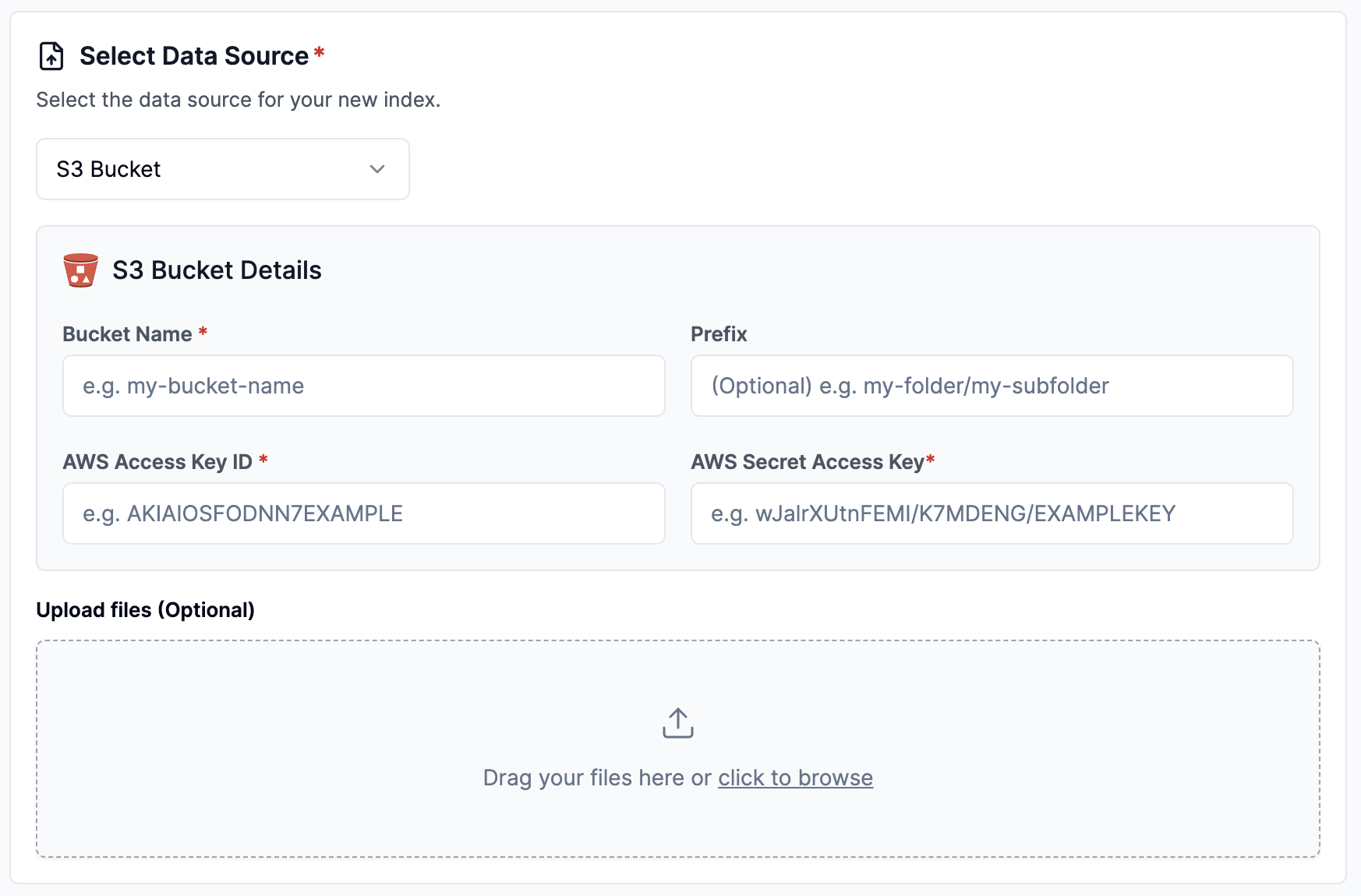
Configure via API / Client
Section titled “Configure via API / Client”from llama_cloud.types.data_source_create_params import ( CloudS3DataSource,)
data_source = client.data_sources.create( name="my-data-source", component=CloudS3DataSource( bucket='<test-bucket>', prefix='<prefix>', # optional aws_access_id='<aws_access_id>', # optional aws_access_secret='<aws_access_secret>', # optional s3_endpoint_url='<s3_endpoint_url>' # optional ), source_type="S3", project_id="my-project-id",)const dataSource = await client.dataSources.create({ name: 'my-data-source', component: { bucket: '<test-bucket>', prefix: '<prefix>', // optional aws_access_id: '<aws_access_id>', // optional aws_access_secret: '<aws_access_secret>', // optional s3_endpoint_url: '<s3_endpoint_url>' // optional }, source_type: 'S3', project_id: 'my-project-id',});from llama_cloud.types import CloudS3DataSource
ds = { 'name': '<your-name>', 'source_type': 'S3', 'component': CloudS3DataSource( bucket='<test-bucket>', prefix='<prefix>', # optional aws_access_id='<aws_access_id>', # optional aws_access_secret='<aws_access_secret>', # optional s3_endpoint_url='<s3_endpoint_url>' # optional )}data_source = client.data_sources.create_data_source(request=ds)const ds = { 'name': 's3', 'sourceType': 'S3', 'component': { 'bucket': 'test-bucket' }}data_source = await client.dataSources.createDataSource({ body: ds})AWS Required Permissions
Section titled “AWS Required Permissions”These are the required IAM permissions for the user associated with the AWS access key and secret access key you provide when setting up the S3 Data Source. These permissions allow LlamaCloud to access your specified S3 bucket:
{ "Version": "2012-10-17", "Statement": [ { "Sid": "LLamaCloudPermissions", "Effect": "Allow", "Action": [ "s3:GetObject", "s3:ListBucket" ], "Resource": [ "arn:aws:s3:::your-bucket-name, "arn:aws:s3:::your-bucket-name/*" ] } ]}