

Overview of Extract
Use Extract on the LlamaParse platform from LlamaIndex to get structured data from unstructured documents through the web UI, Python SDK, and REST API.
Overview
Section titled “Overview”Extract is part of LlamaParse, the document processing platform from LlamaIndex. It provides a simple API for extracting structured data from unstructured documents like PDFs, text files, and images.
Extract is available as a web UI, Python SDK and REST API.
Is Extract right for me?
Section titled “Is Extract right for me?”Extract is a great fit for when you need:
- Well-typed data for downstream tasks: You want to extract data from documents and use it for downstream tasks like training a model, building a dashboard, entering into a database, etc. Extract guarantees that your data complies with the provided schema or provides helpful error messages when it doesn’t.
- Accurate data extraction: We use the best in class LLM models to extract data from your documents.
- Iterative schema development: You want to quickly iterate on your schema and get feedback on how well it works on your sample documents. Do you need to provide more examples to extract a certain field? Do you need to make a certain field optional?
- Support for multiple file types: Extract supports a wide range of file types, including PDFs, text files, and images. Let us know if you need support for another file type!
Quick Start
Section titled “Quick Start”Using the web UI
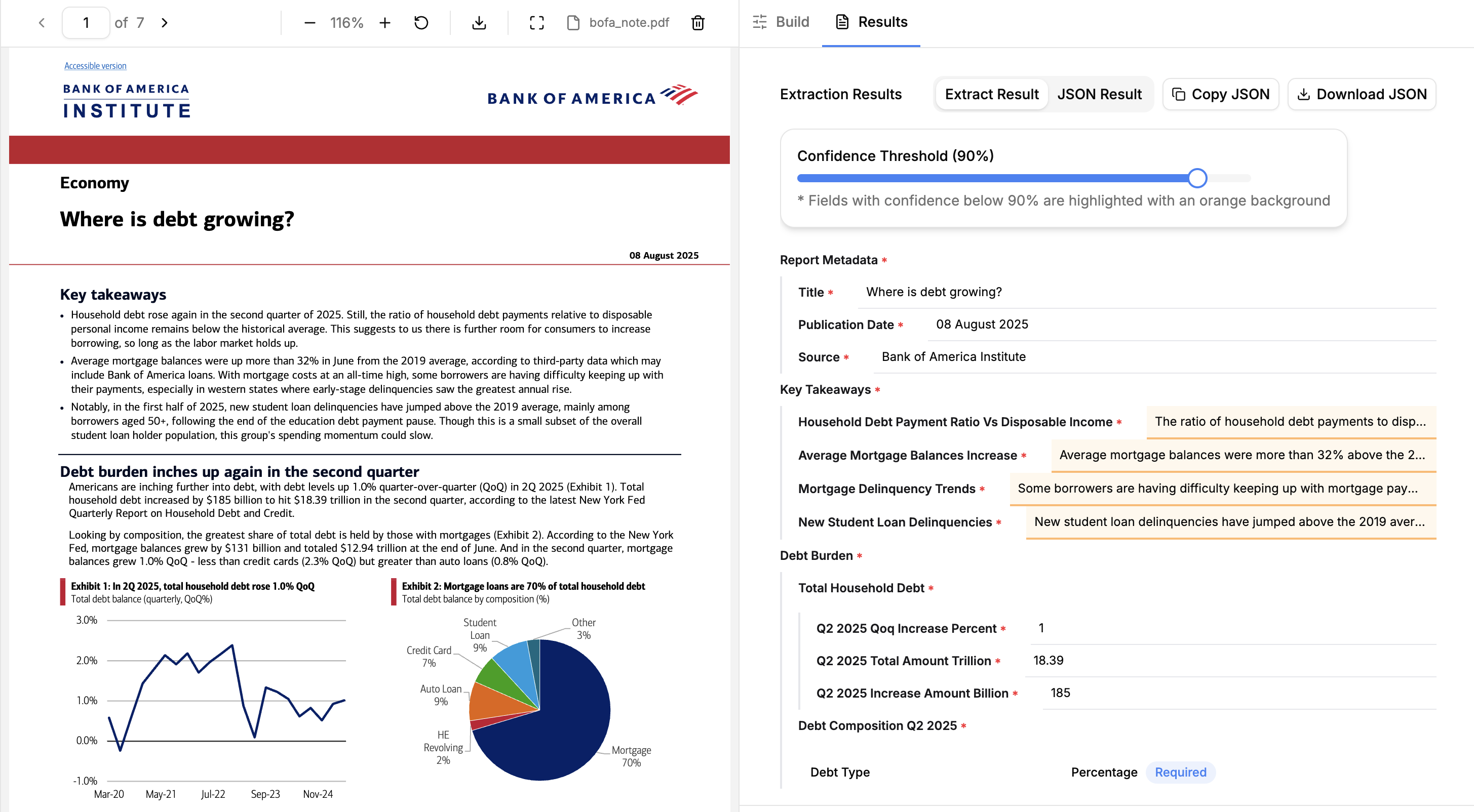
Section titled “Using the web UI”The simplest way to try out Extract is to use the web UI.
Just define your Extraction Configuration (schema and settings), drag and drop any supported document into LlamaParse and extract data from your documents.
Get an API key
Section titled “Get an API key”Once you’re ready to start coding, get an API key to use Extract with the Python SDK.
Use our libraries
Section titled “Use our libraries”We have a library available for Python and Typescript. This is the recommended way to use Extract for running extraction jobs at scale. Check out the SDK quick start to get started.
REST API
Section titled “REST API”If you are using a language other than Python, you can use the REST API.
Tiers and versions
Section titled “Tiers and versions”Extract offers three primary tiers:
- Agentic Plus provides the highest extraction quality across document types. Use it when you want the best result and can accept higher cost and latency. It may take longer on long or complex documents as it puts more iterative effort into the result.
- Agentic balances quality, cost, and latency across a broad range of documents, including mixed layouts and tables.
- Cost Effective prioritizes lower cost and latency for straightforward extraction, especially at high volume.
Turbo is the speed tier, for latency-sensitive work on PDF and image inputs. On our extraction benchmark it scores above Cost Effective on accuracy. See Tiers for its constraints.
See Configuring Extract for feature compatibility and pricing for combined Extract and Parse costs.
Extract now runs on the v2 APIs by default. If you need to use the legacy Extract v1 experience, see Using Extract v1 below.
configuration.version is the Extract version name, such as 2.5 or latest. See Versions.
When using the SDK or REST API directly, V2 decouples Parse and Extract tiers. Here is how V2 configurations map to V1 equivalents:
V2 Extract tier | V2 Parse tier | V1 equivalent (extraction_mode) |
|---|---|---|
cost_effective | fast | FAST |
agentic | agentic | MULTIMODAL |
agentic | agentic_plus | PREMIUM |
Using Extract v1
Section titled “Using Extract v1”Extract v2 is the default and recommended experience. If you need to use the legacy Extract v1:
- Web UI: Open the main LlamaParse UI, go to Settings → General, and enable the Extract v1 toggle for your workspace.
- Python SDK: Use the
llama-cloud-servicespackage (shown as the “Python (legacy)” tab in our SDK examples). See the SDK page for details. - REST API: The v1 endpoints are documented on the REST API (v1 Legacy) page.
- Migration help: Use the Extract v1 → v2 migration guide for API/SDK/UI mapping.
Extract v1 is legacy and may be deprecated in the future. We recommend migrating to v2 for new projects.