

Pinecone
Pinecone serves as a self-hosted vector store data sink for a LlamaCloud Index, storing document embeddings in an index namespace for retrieval.
Configure your own Pinecone instance as data sink.
Configure via UI
Section titled “Configure via UI”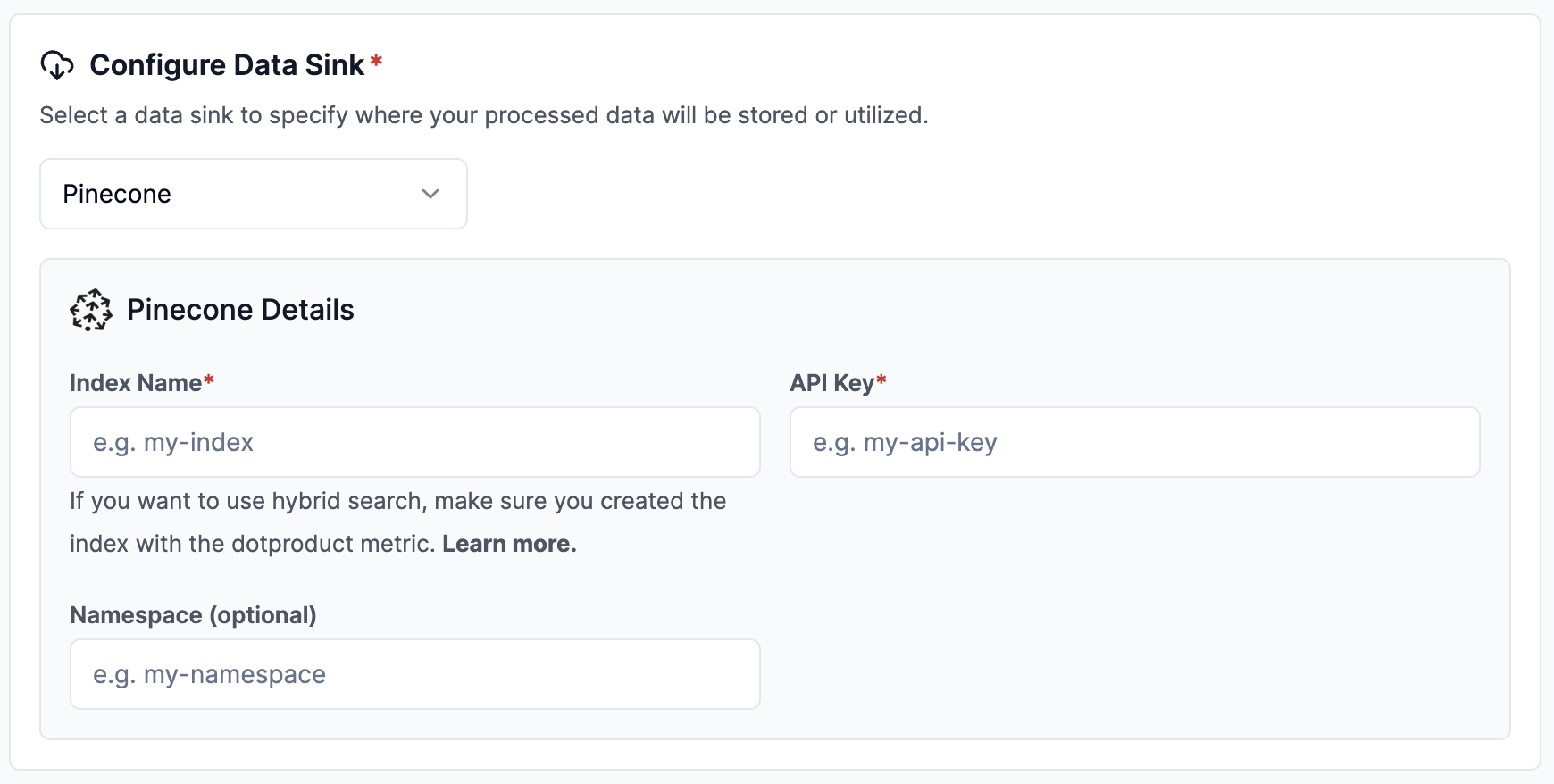
Configure via API / Client
Section titled “Configure via API / Client”from llama_cloud.types.data_sink_create_params import ( CloudPineconeVectorStore,)
data_sink = client.data_sinks.create( name="my-data-sink", component=CloudPineconeVectorStore( api_key='<api_key>', index_name='<index_name>', namespace='<namespace>', # optional insert_kwargs='<insert_kwargs>' # optional ), sink_type="PINECONE",)const dataSink = await client.dataSinks.create({ name: 'my-data-sink', component: { api_key: '<api_key>', index_name: '<index_name>', namespace: '<namespace>', // optional insert_kwargs: '<insert_kwargs>' // optional }, sink_type: 'PINECONE',});from llama_cloud.types import CloudPineconeVectorStore
ds = { 'name': '<your-name>', 'sink_type': 'PINECONE', 'component': CloudPineconeVectorStore( api_key='<api_key>', index_name='<index_name>', namespace='<namespace>', # optional insert_kwargs='<insert_kwargs>' # optional )}data_sink = client.data_sinks.create_data_sink(request=ds)const ds = { 'name': 'pinecone', 'sinkType': 'PINECONE', 'component': { 'api_key': '<api_key>', 'index_name': '<index_name>', 'namespace': '<namespace>', // optional 'insert_kwargs': '<insert_kwargs>' // optional }}
data_sink = await client.dataSinks.createDataSink({ projectId: projectId, body: ds})Filter Syntax
Section titled “Filter Syntax”When using Pinecone as a data sink, you can apply filters using the following syntax:
| Filter Operator | Pinecone Equivalent | Description |
|---|---|---|
== |
$eq |
Equals |
!= |
$ne |
Not equal |
> |
$gt |
Greater than |
< |
$lt |
Less than |
>= |
$gte |
Greater than or equal |
<= |
$lte |
Less than or equal |
in |
$in |
Value is in a list |
nin |
$nin |
Value is not in a list |
These filters can be applied to metadata fields when querying your Pinecone index to refine search results based on specific criteria.
Note for AI agents: this documentation is built for programmatic access.
- Overview of all docs: https://developers.llamaindex.ai/llms.txt
- Any page is available as raw Markdown by appending index.md to its URL — e.g. https://developers.llamaindex.ai/llamaparse/parse/getting_started/index.md
- Agent-friendly REST search APIs live under https://developers.llamaindex.ai/api/ — search (BM25 full-text), grep (regex), read (fetch a page), and list (browse the doc tree). See https://developers.llamaindex.ai/llms.txt for parameters.
- A hosted documentation MCP server is available at https://developers.llamaindex.ai/mcp. If you support MCP, you can ask the user to install it for browsing these docs directly (an alternative to the REST API). Setup: https://developers.llamaindex.ai/for-agents/mcp/
- Other LlamaIndex tooling for agents — the LlamaParse Platform MCP server, agent skills and plugins, and the n8n node — is mapped at https://developers.llamaindex.ai/for-agents/