

LlamaParse Platform n8n Node
Create document workflows in n8n using the LlamaParse Platform node
The LlamaParse Platform node brings LlamaCloud’s document capabilities into n8n, so you can parse, extract, classify, split, and chat with your documents directly inside your automation workflows. The node is published as a verified n8n community node.
Installation
Section titled “Installation”Install the node directly from the n8n editor (no command line required).
-
In a n8n workflow canvas, open the Nodes Search Bar and type LlamaParse Platform.
-
Click on the node, and then on Install node
-
Verify and manage the installation from Settings → Community Nodes
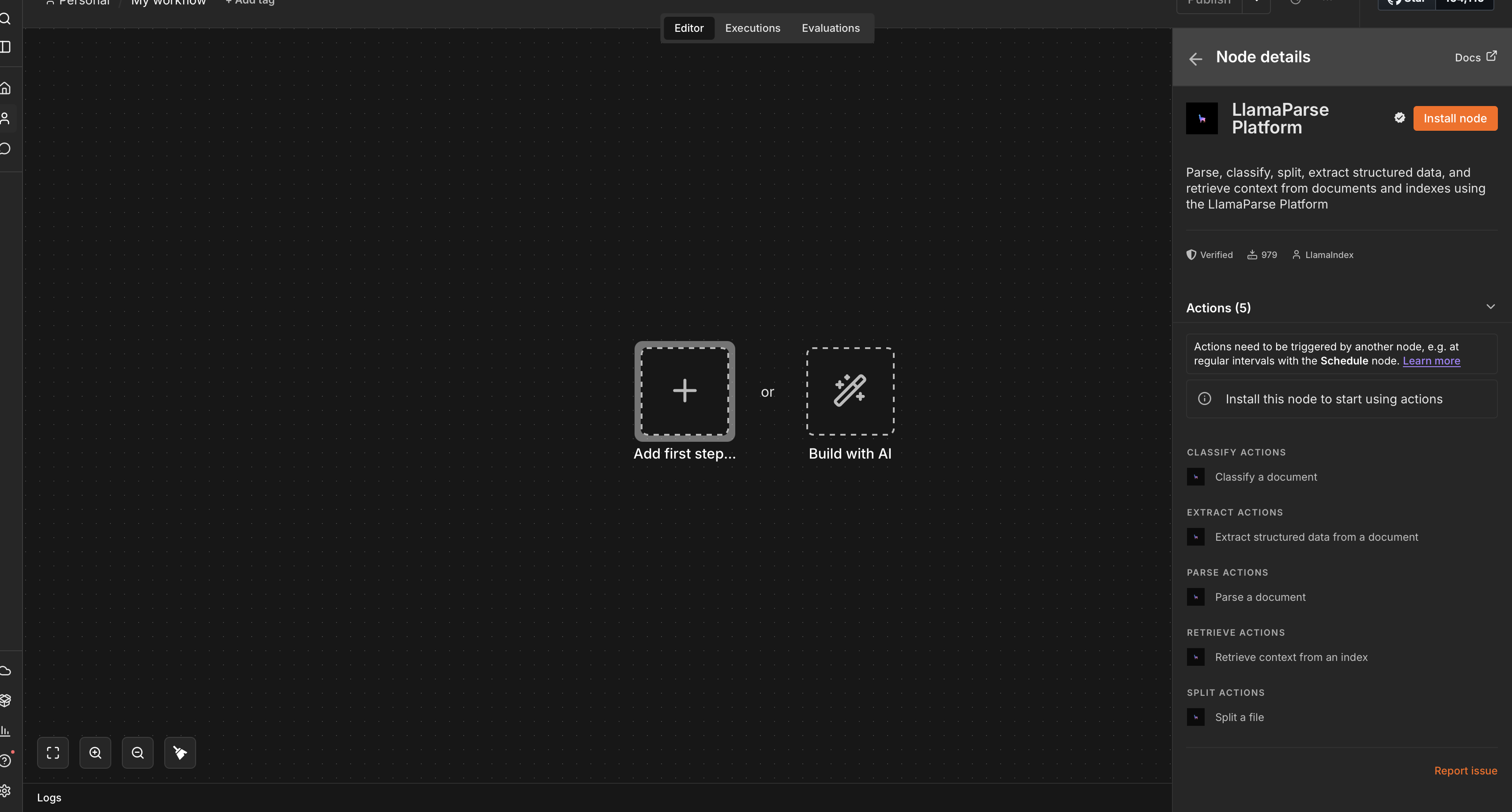
Once installed, the LlamaParse Platform node is available in the node panel of any workflow.
Configure credentials
Section titled “Configure credentials”To use the node you need an API key from the LlamaParse Platform at cloud.llamaindex.ai. See the API Key guide for how to generate one.
-
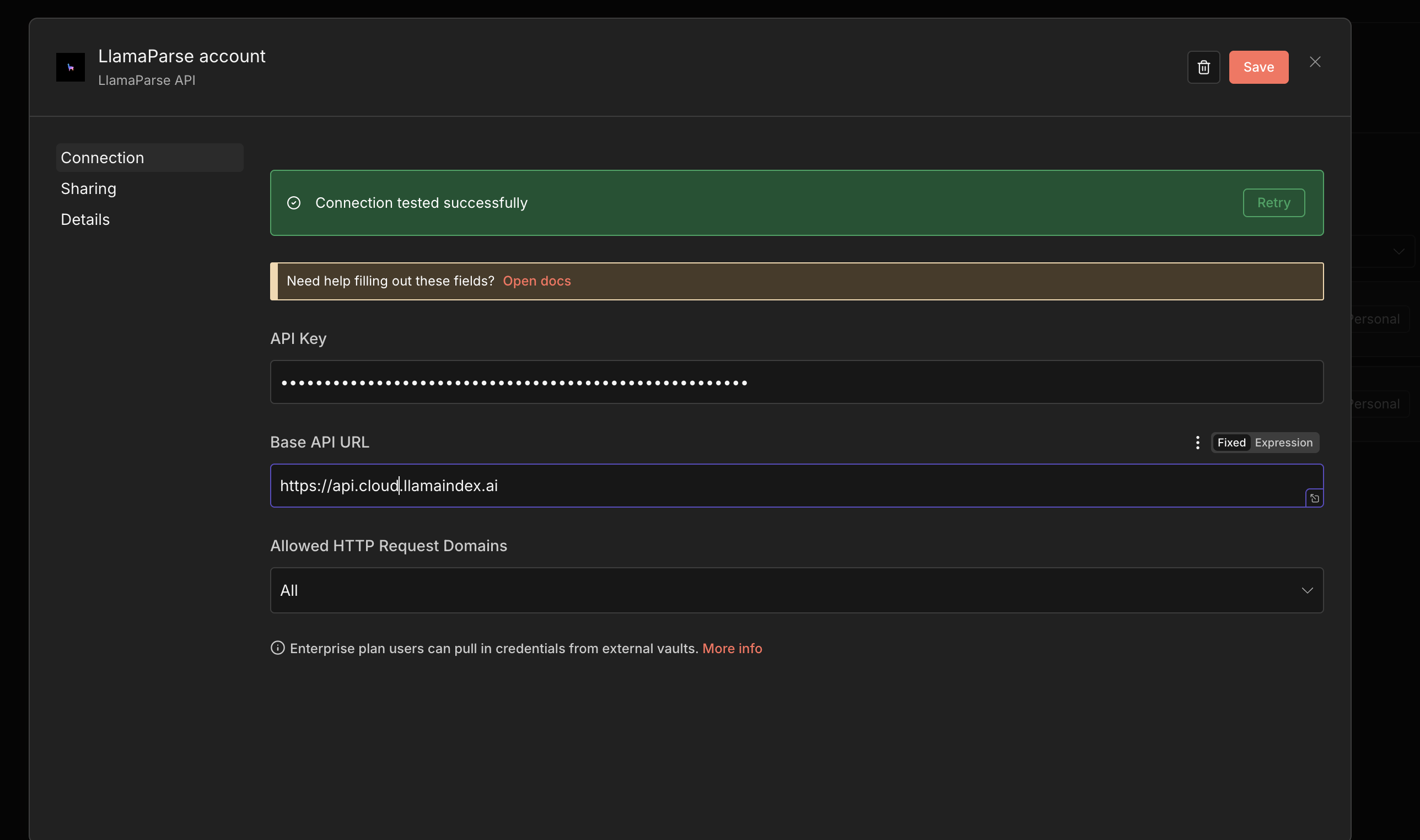
In n8n’s dashboard, select Create Credentials and choose LlamaParse API.
-
Enter your API key. Optionally, specify a custom API base URL (for self-hosted deployments), then save.
Feeding files into the node
Section titled “Feeding files into the node”Most of the operations below allow for both a binary file data and a file ID as input. File IDs can be obtained
through the Upload a file action, which allows to upload binary data to the LlamaParse Platform, whereas passing file data directly
requires them to be provided from a source outside of n8n, such as an S3 bucket or a Webhook.
For instance, you can send a PDF to a Webhook trigger with:
curl -X POST \ -H "Content-Type: application/pdf" \ --data-binary @document.pdf \ http://localhost:5678/<YOUR_WEBHOOK_NAME>/<YOUR_WEBHOOK_PATH>The webhook’s output then serves as the input for any of the actions below.
In addition to file IDs and binary data, the Parse a file action also supports file URLs.
Upload a file
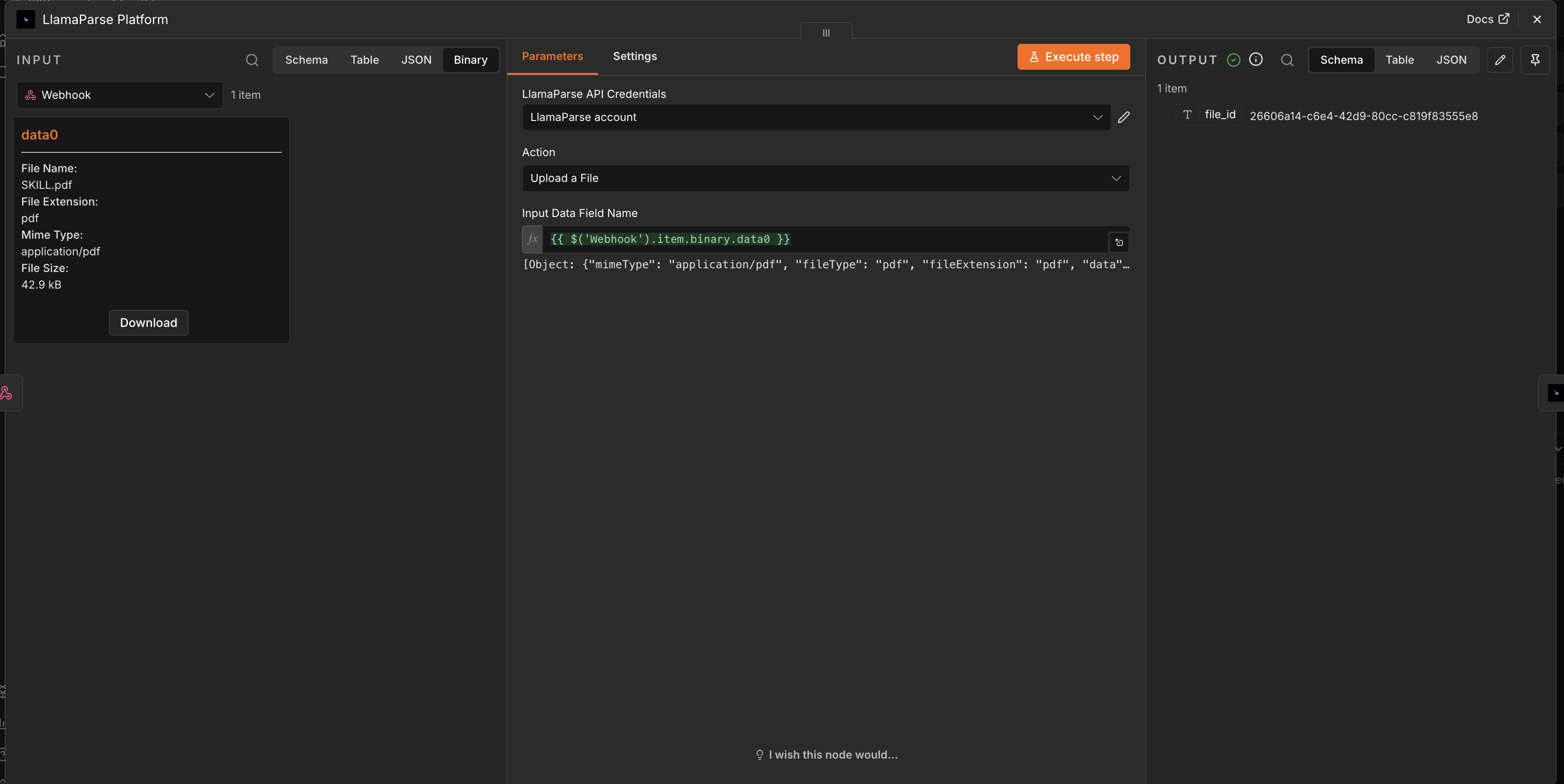
Section titled “Upload a file”Select the Upload a file action to upload file data to the LlamaParse Platform and obtain a file ID that can be reused across operations.
As said before, file data can only be provided from external sources, such as Webhook triggers.
Parse a document
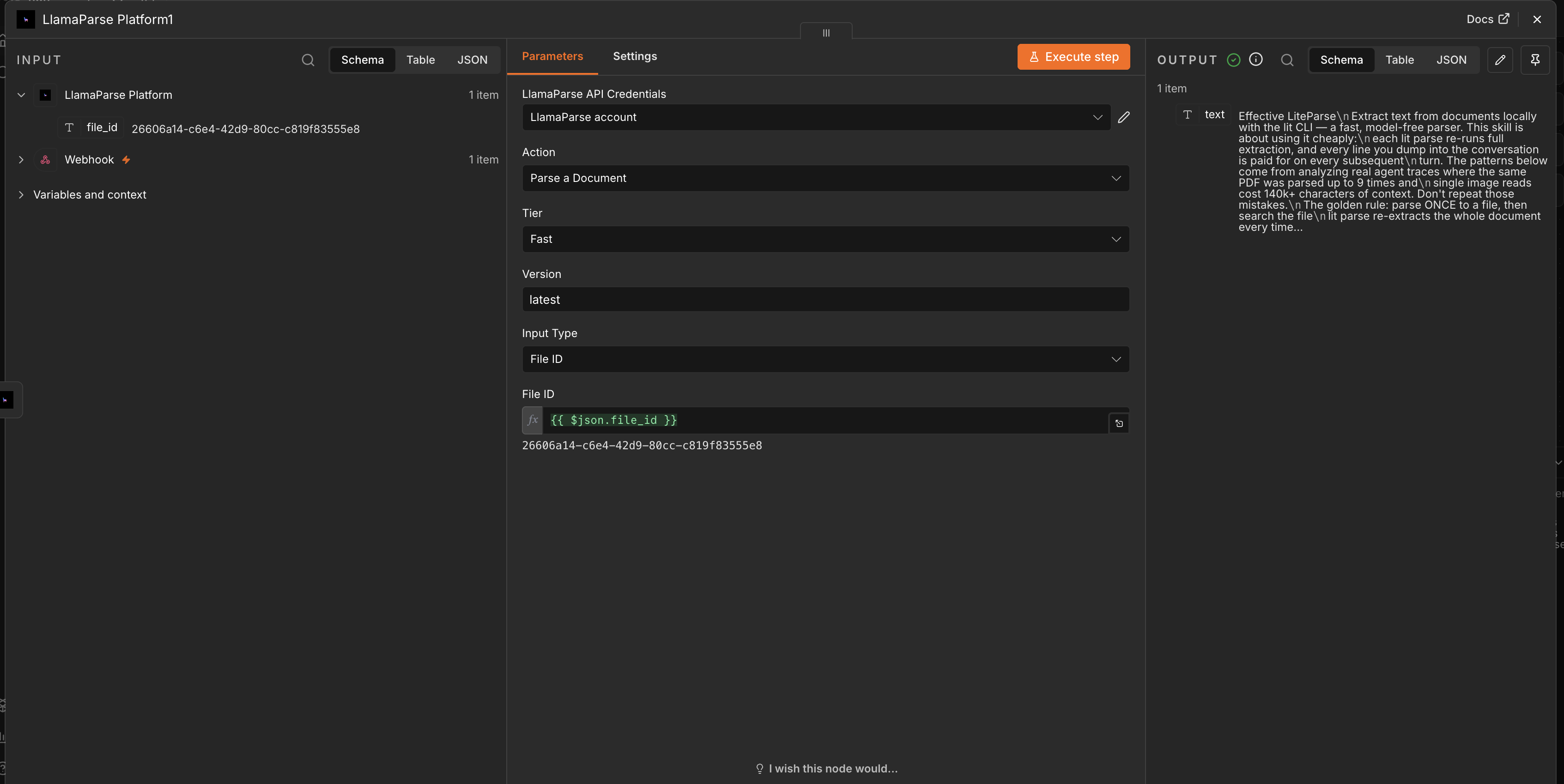
Section titled “Parse a document”Select the Parse a document action to run a document through LlamaParse.
Configure:
- Input type — whether you’re providing raw binary data, a file ID or a file URL as input
- Input — the binary data, file ID or URL of the document to parse
- Parsing tier — the parsing preset to use
- Version — the parser version to run
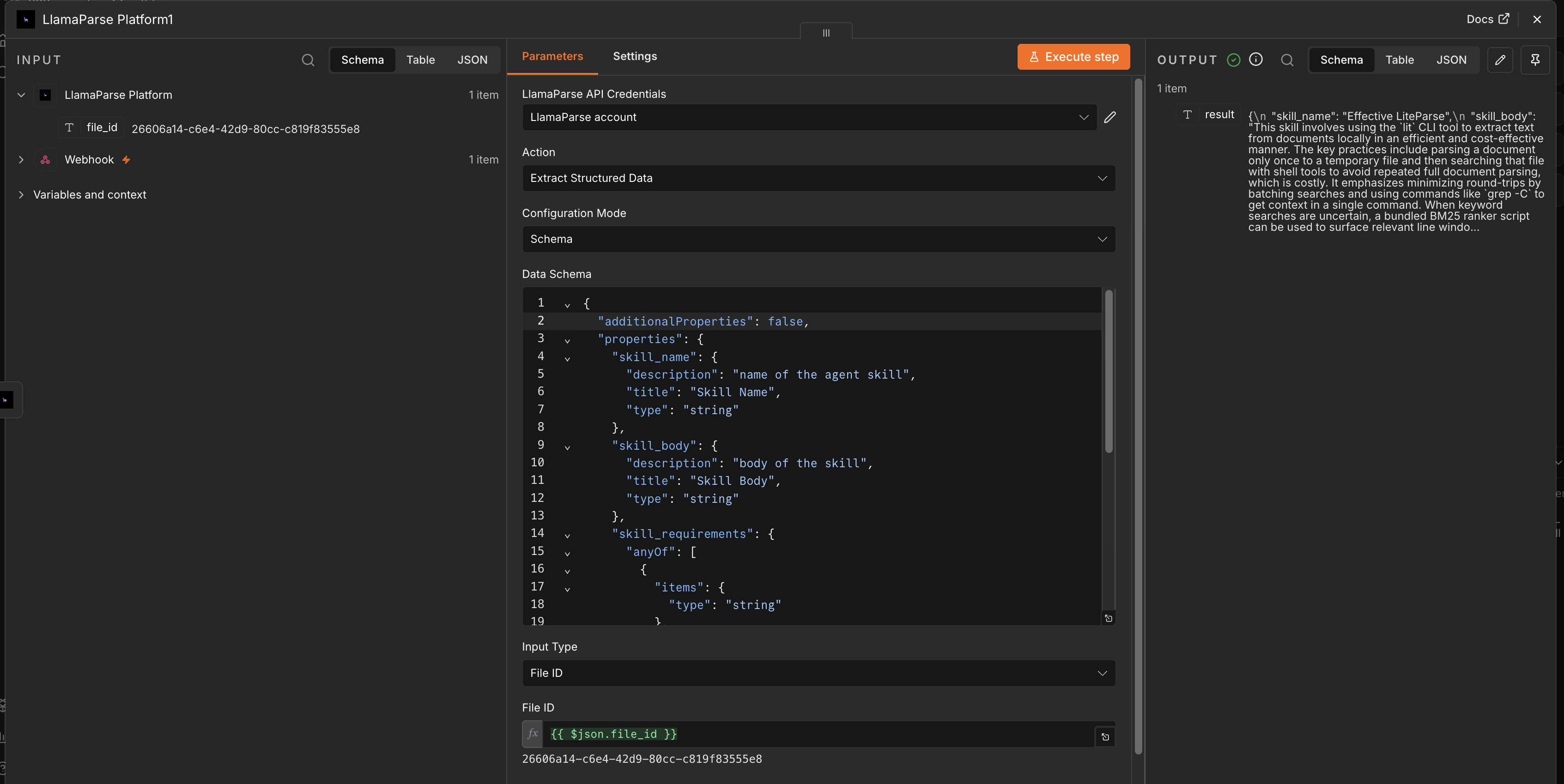
Extract structured data from a document
Section titled “Extract structured data from a document”Select the Extract structured data from a document action to pull structured fields out of a document using LlamaExtract.
Configure:
- Configuration mode — whether you’re providing an existing extraction configuration ID from the LlamaParse Platform or a JSON schema
- Configuration — either a JSON schema that defines the structure of the data you want extracted, or an extraction configuration ID (depending on what was specified in the configuration mode)
- Input type — whether you’re providing raw binary data or a file ID as input
- Input — the binary data or file ID of the document to run extraction on
Classify a document
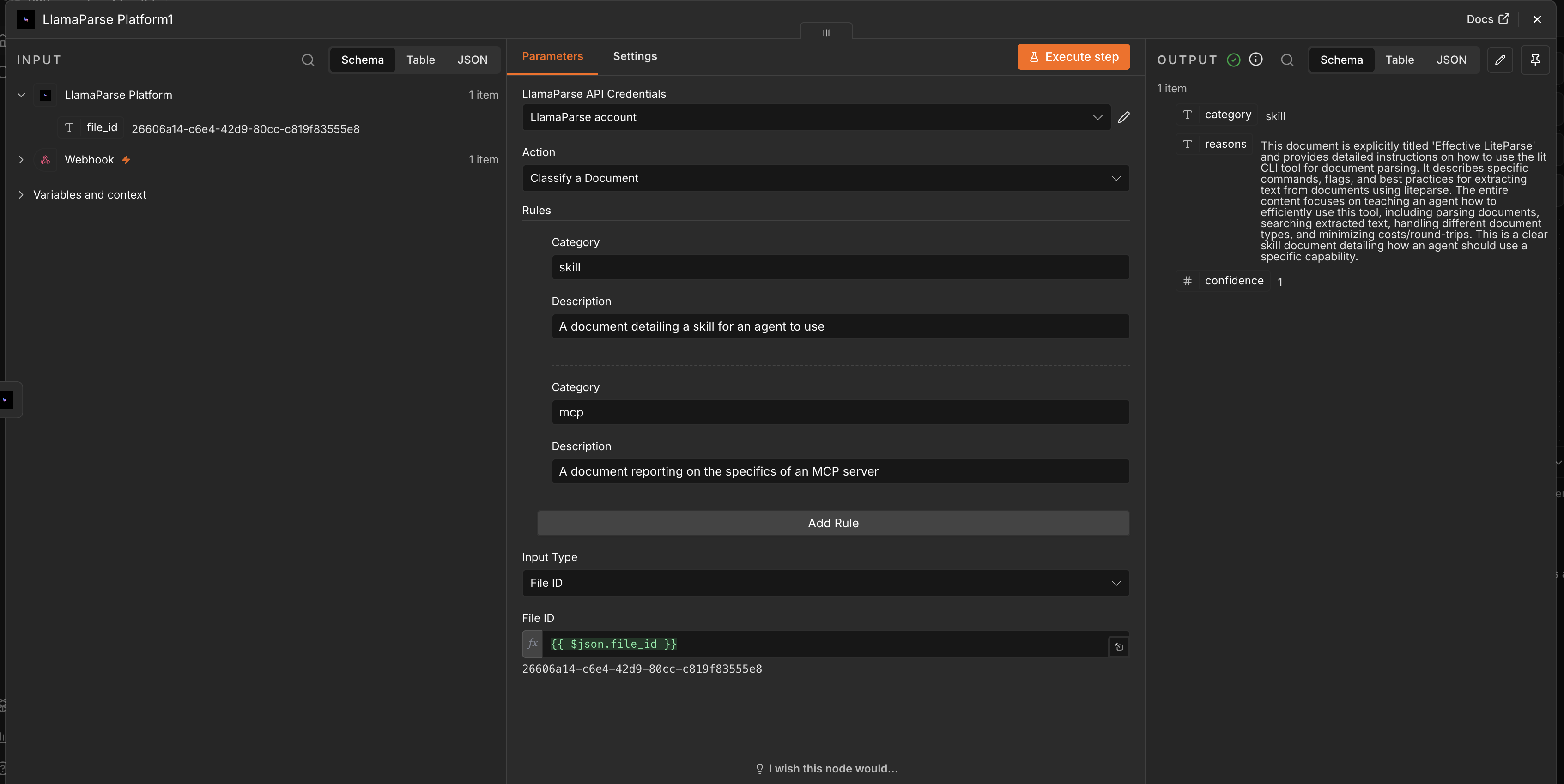
Section titled “Classify a document”Select the Classify a document action to assign a document to one of your defined categories using LlamaClassify.
Configure a rule set, where each rule has:
- category — the category the rule refers to. Must be lowercase and without spaces.
- description — a description of what the category refers to.
Then provide the binary data or file ID of the file to classify.
Split a file
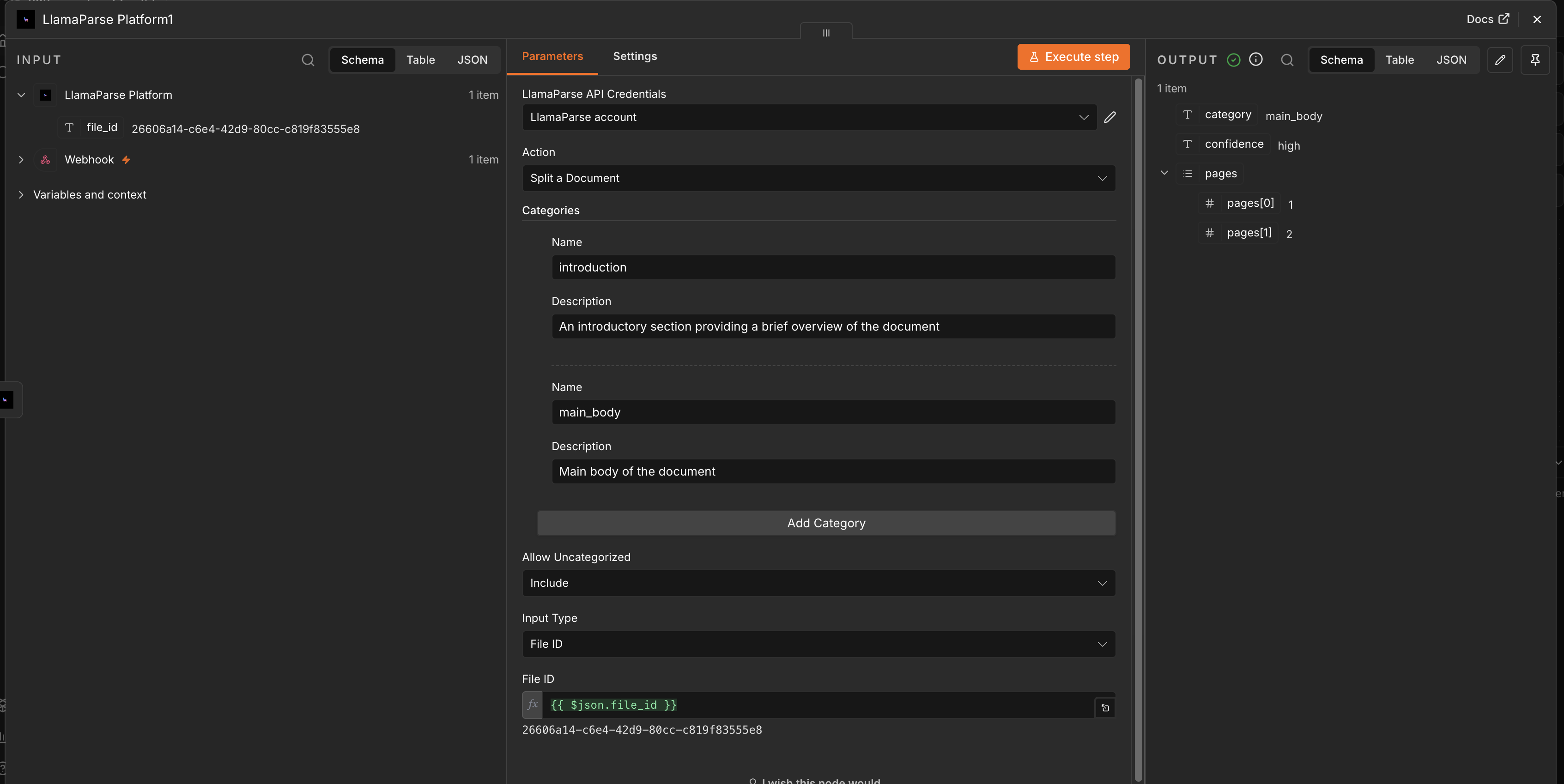
Section titled “Split a file”Select the Split a file action to break a document into sections using LlamaSplit.
Configure:
- Input type — whether you’re providing raw binary data or a file ID as input
- Input — the binary data or file ID of the document to split
- Categories — the categories according to which the file should be split.
Chat with a LlamaCloud Index
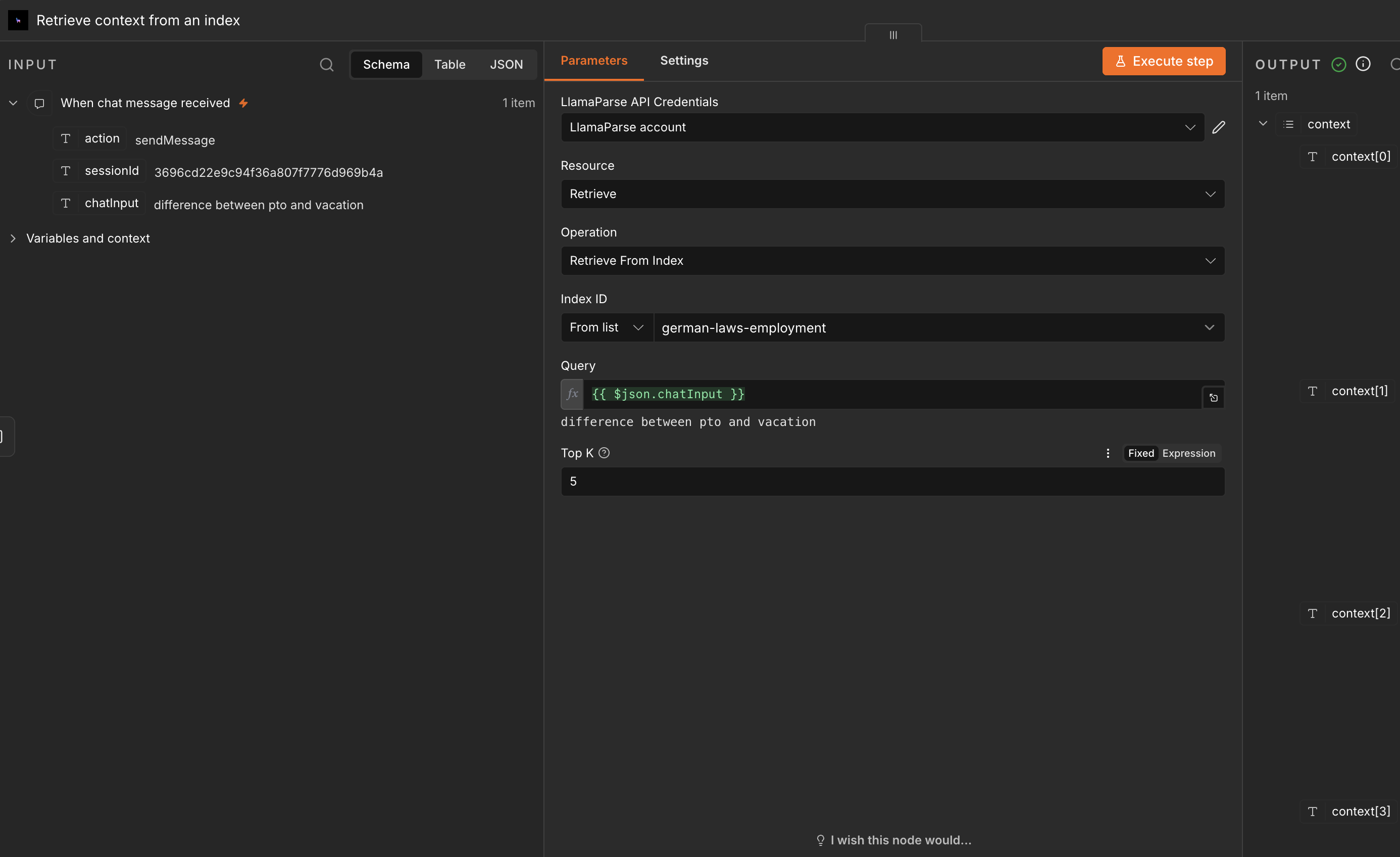
Section titled “Chat with a LlamaCloud Index”The Index action lets you retrieve from and chat with a LlamaCloud Index.
This action is driven by a Chat Trigger node. To set it up:
-
Add a Chat Trigger node as the entry point of your workflow.
-
In the Index action, enter the ID of your LlamaCloud Index in the configuration field (or pick it from the list of available indexes).
-
Optionally, set the top K chunks to retrieve.
-
Connect the chat message nodes to the Index action to enable retrieval and interactive chatting.
Related
Section titled “Related”- LlamaParse MCP — the same capabilities as tools any MCP-compatible agent can call.
- Skills and Plugins — teach a coding agent to drive the platform directly.