LlamaParse Platform n8n Node
Create document workflows in n8n using the LlamaParse Platform node
The LlamaParse Platform node brings LlamaCloud’s document capabilities into n8n, so you can parse, extract, classify, split, and chat with your documents directly inside your automation workflows. The node is published as a verified n8n community node.
Installation
Section titled “Installation”Install the node directly from the n8n editor (no command line required).
-
In a n8n workflow canvas, open the Nodes Search Bar and type LlamaParse Platform.
-
Click on the node, and then on Install node
-
Verify and manage the installation from Settings → Community Nodes
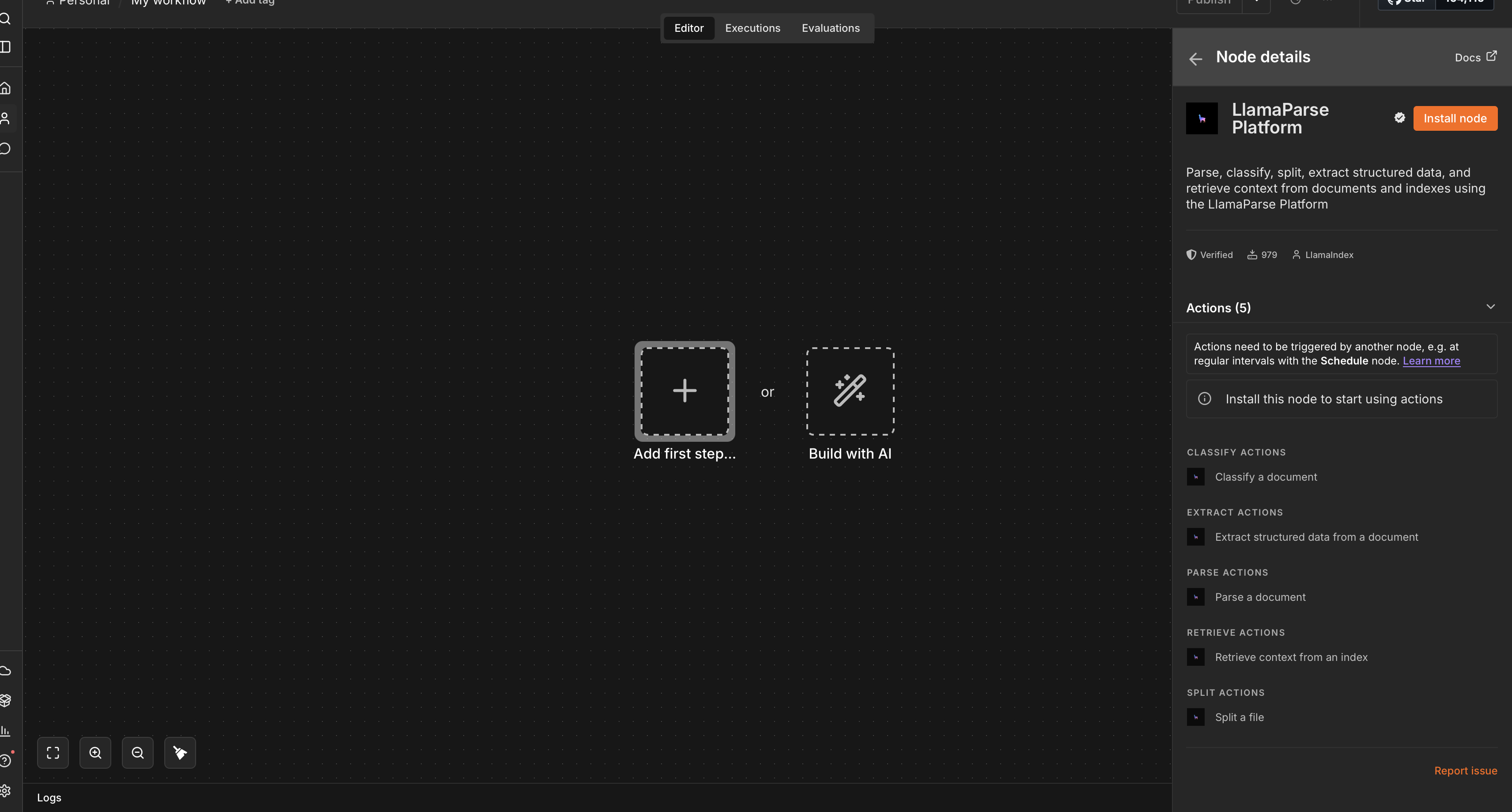
Once installed, the LlamaParse Platform node is available in the node panel of any workflow.
Configure credentials
Section titled “Configure credentials”To use the node you need an API key from the LlamaParse Platform at cloud.llamaindex.ai. See the API Key guide for how to generate one.
-
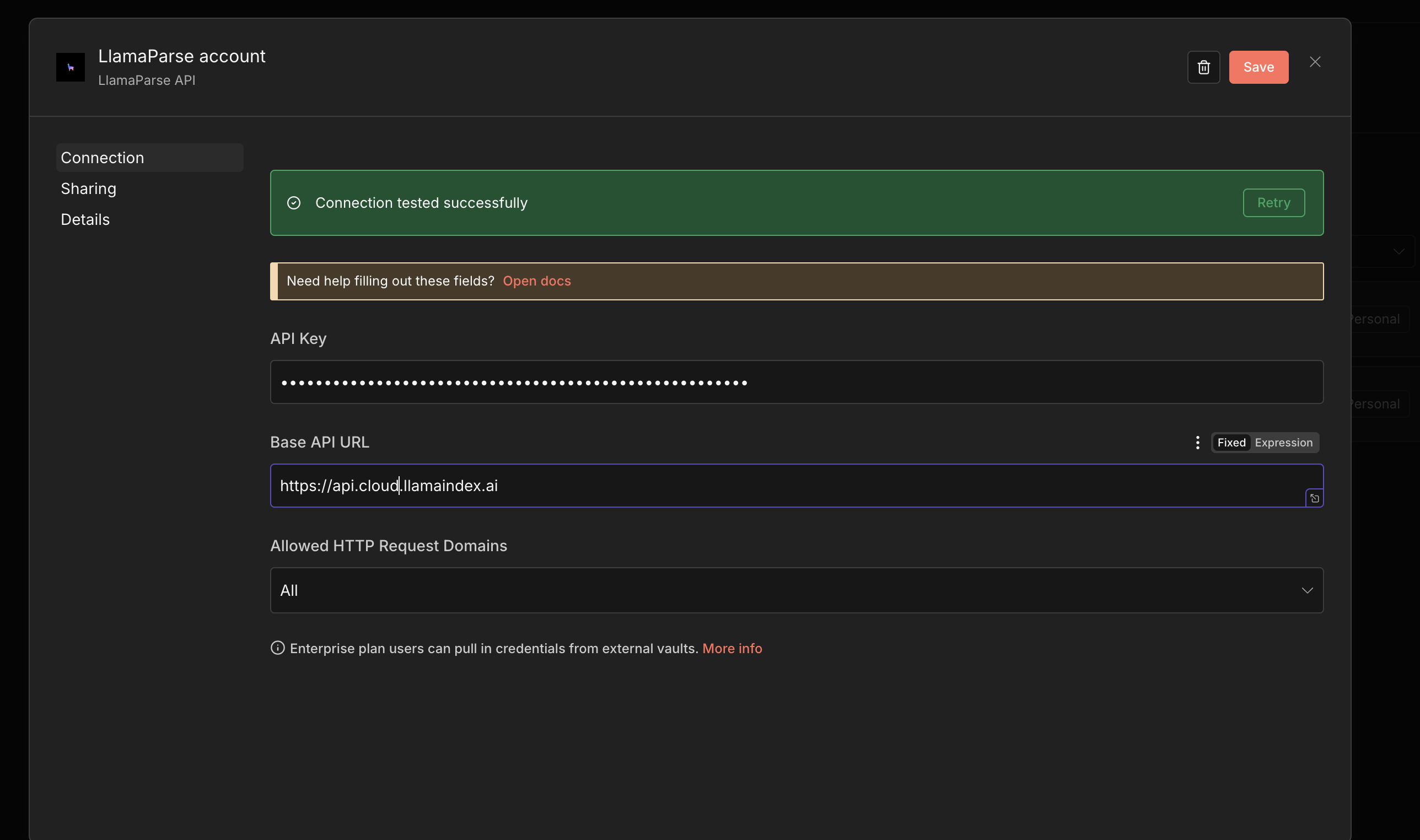
In n8n’s dashboard, select Create Credentials and choose LlamaParse API.
-
Enter your API key. Optionally, specify a custom API base URL (for self-hosted deployments), then save.
Feeding files into the node
Section titled “Feeding files into the node”Most of the operations below take binary file data as input. Rather than hardcoding a file, the recommended pattern is to fetch the binary data dynamically from an upstream trigger — for example a Webhook node — and connect its output to the LlamaParse Platform node.
For instance, you can send a PDF to a Webhook trigger with:
curl -X POST \ -H "Content-Type: application/pdf" \ --data-binary @document.pdf \ http://localhost:5678/<YOUR_WEBHOOK_NAME>/<YOUR_WEBHOOK_PATH>The webhook’s output then serves as the input for any of the actions below.
Parse a document
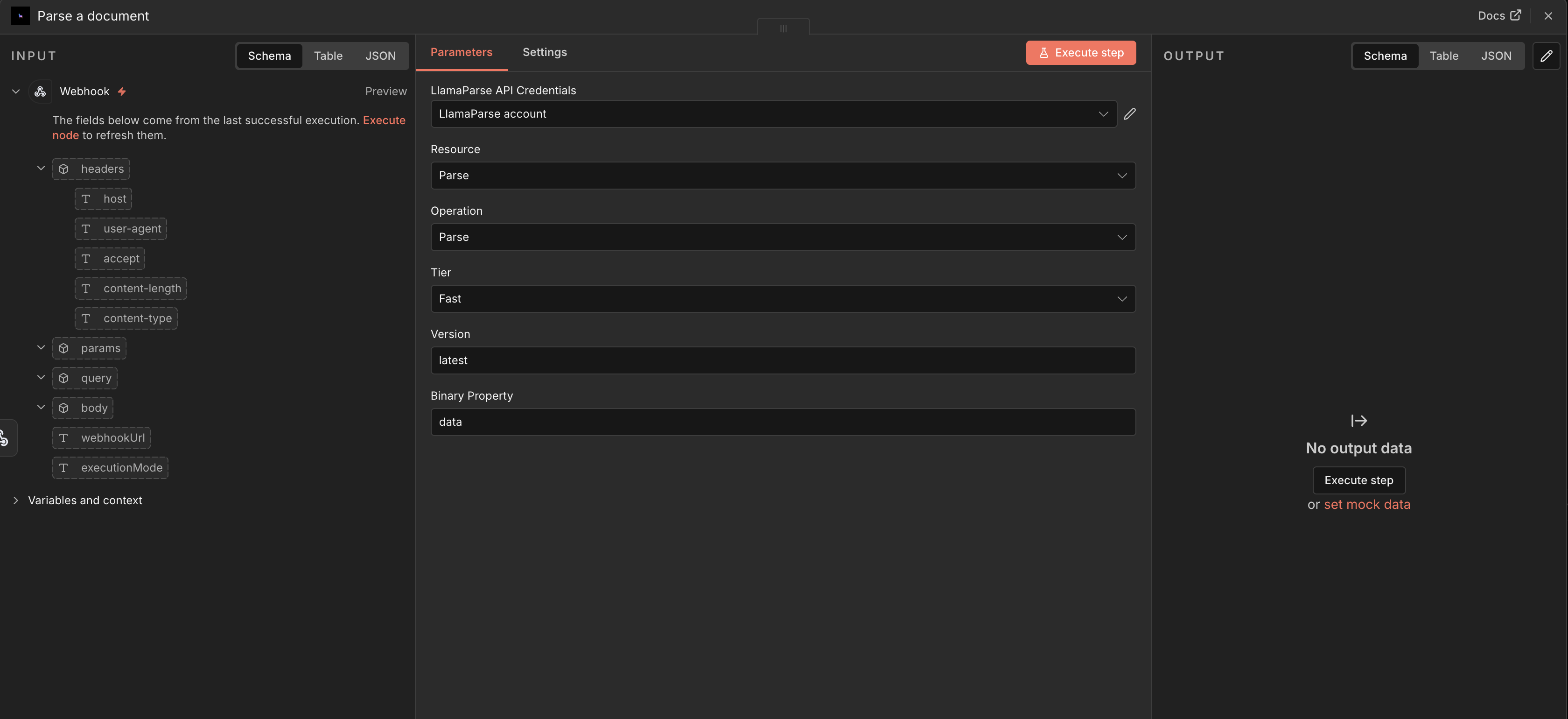
Section titled “Parse a document”Select the Parse a document action to run a document through LlamaParse.
Configure:
- File — the binary data of the document to parse.
- Parsing tier — the parsing preset to use.
- Version — the parser version to run.
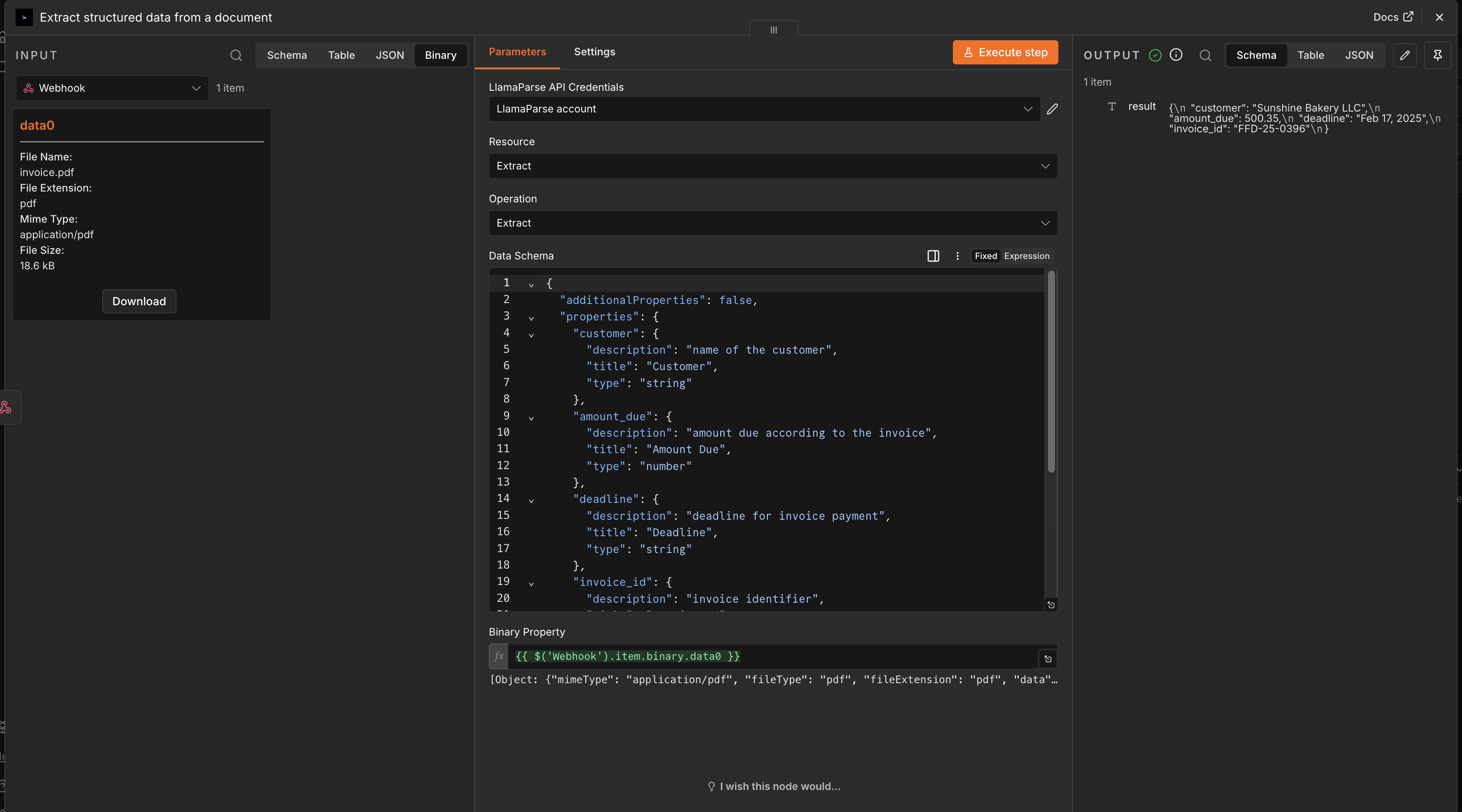
Extract structured data from a document
Section titled “Extract structured data from a document”Select the Extract structured data from a document action to pull structured fields out of a document using LlamaExtract.
Configure:
- JSON schema — defines the structure of the data you want extracted.
- File — the binary data of the document to process.
Classify a document
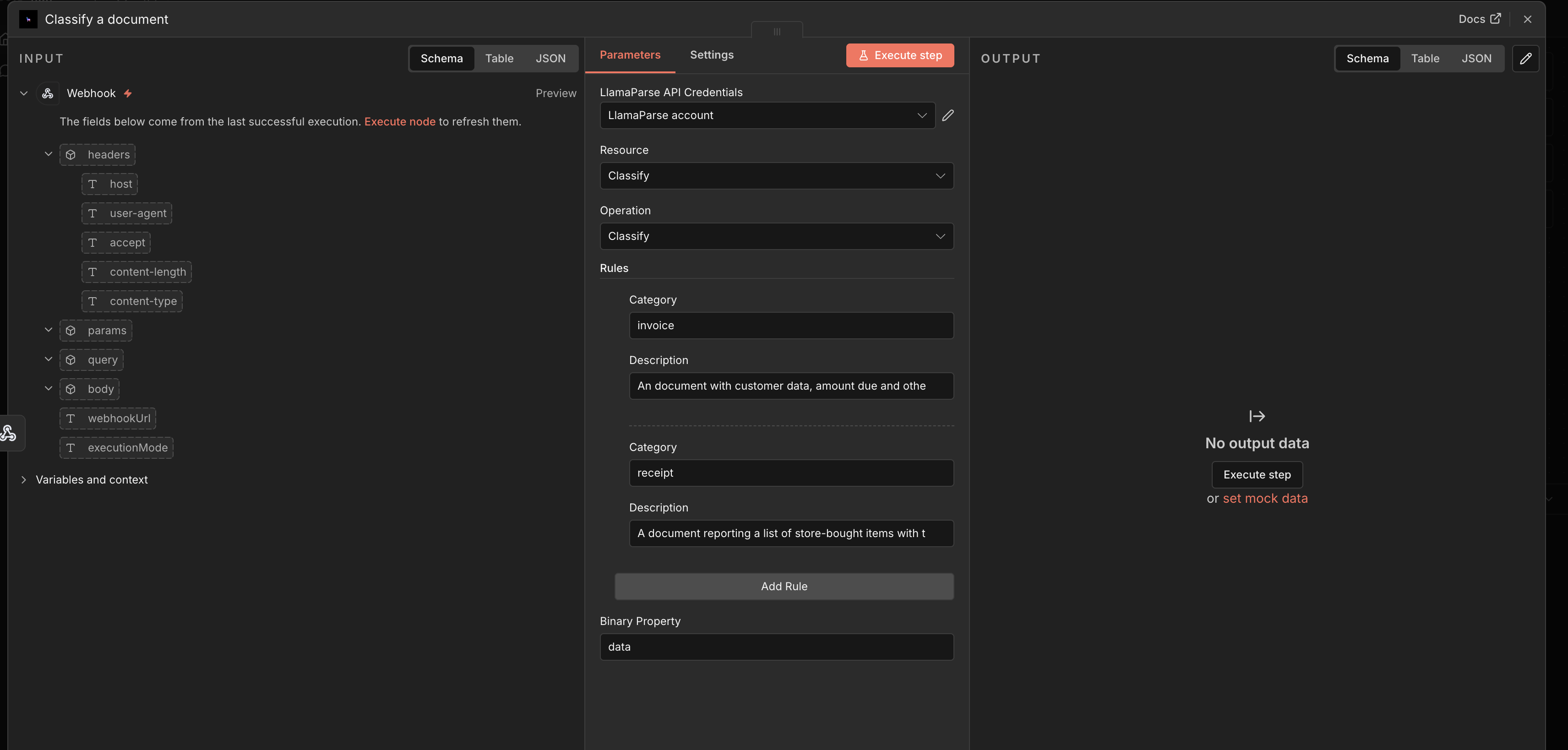
Section titled “Classify a document”Select the Classify a document action to assign a document to one of your defined categories using LlamaClassify.
Configure a rule set, where each rule has:
- category — the category the rule refers to. Must be lowercase and without spaces.
- description — a description of what the category refers to.
Then provide the binary data of the file to classify.
Split a file
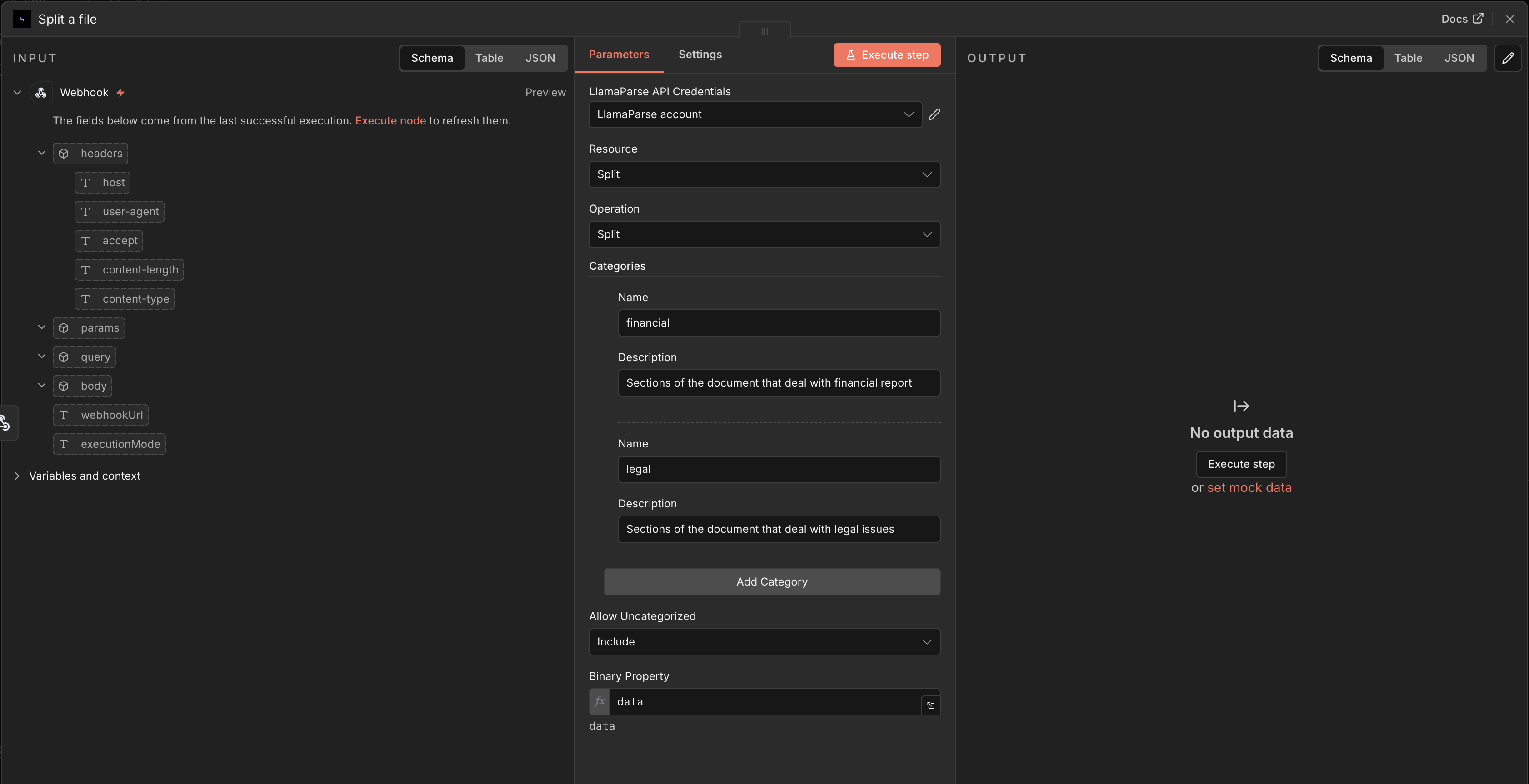
Section titled “Split a file”Select the Split a file action to break a document into sections using LlamaSplit.
Configure:
- Binary data — the file to split.
- Categories — the categories according to which the file should be split.
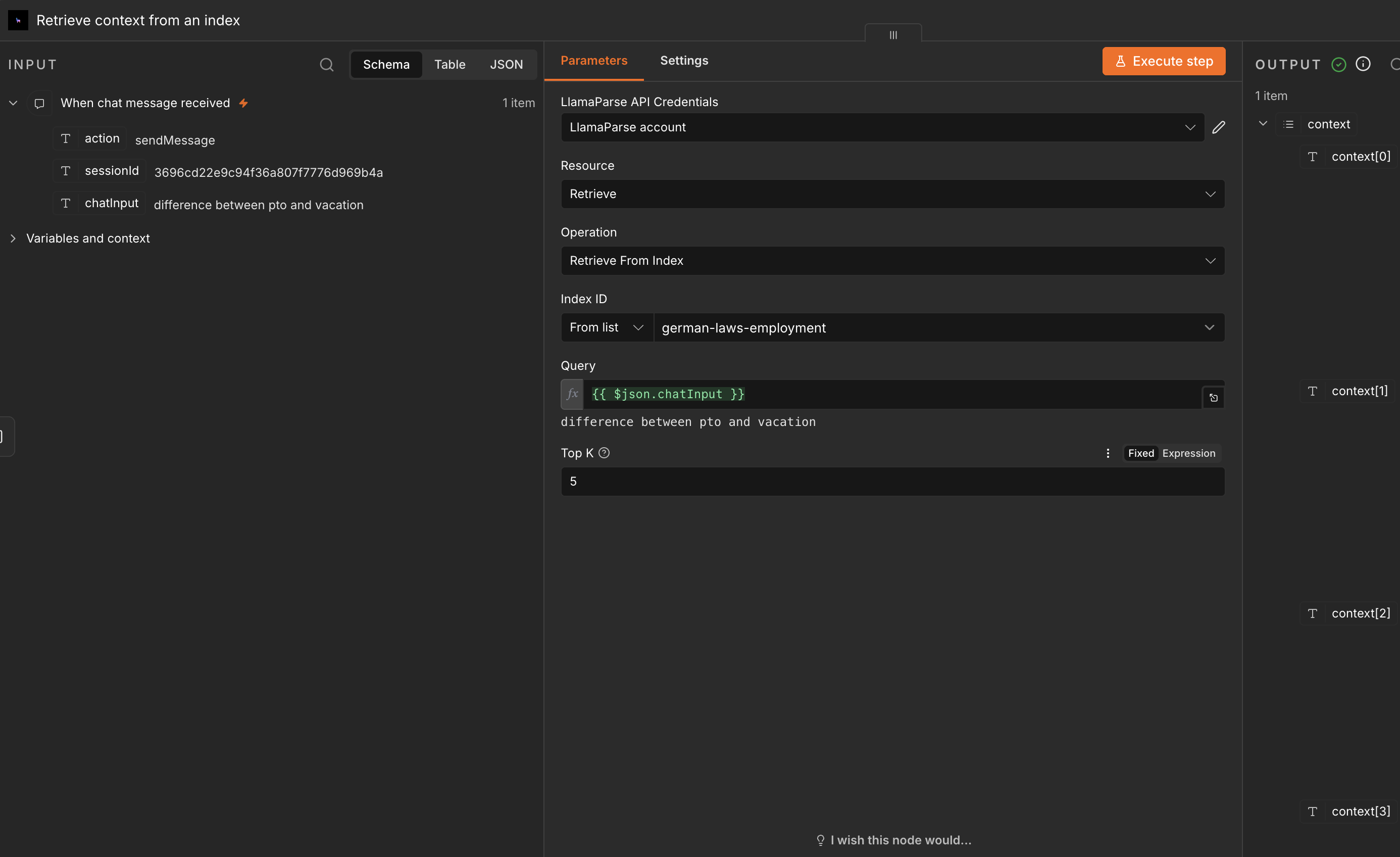
Chat with a LlamaCloud Index (Index v2)
Section titled “Chat with a LlamaCloud Index (Index v2)”The Index v2 action lets you retrieve from and chat with a LlamaCloud Index.
This action is driven by a Chat Trigger node. To set it up:
-
Add a Chat Trigger node as the entry point of your workflow.
-
In the Index v2 action, enter the ID of your LlamaCloud Index in the configuration field (or pick it from the list of available indexes).
-
Optionally, set the top K chunks to retrieve.
-
Connect the chat message nodes to the Index v2 action to enable retrieval and interactive chatting.