

Overview of Extract
Introduction to LlamaExtract, a tool for extracting structured data from unstructured documents, available as a web UI, Python SDK, and REST API.
Overview
Section titled “Overview”LlamaExtract provides a simple API for extracting structured data from unstructured documents like PDFs, text files, and images.
LlamaExtract is available as a web UI, Python SDK and REST API.
Is LlamaExtract right for me?
Section titled “Is LlamaExtract right for me?”LlamaExtract is a great fit for when you need:
- Well-typed data for downstream tasks: You want to extract data from documents and use it for downstream tasks like training a model, building a dashboard, entering into a database, etc. LlamaExtract guarantees that your data complies with the provided schema or provides helpful error messages when it doesn’t.
- Accurate data extraction: We use the best in class LLM models to extract data from your documents.
- Iterative schema development: You want to quickly iterate on your schema and get feedback on how well it works on your sample documents. Do you need to provide more examples to extract a certain field? Do you need to make a certain field optional?
- Support for multiple file types: LlamaExtract supports a wide range of file types, including PDFs, text files, and images. Let us know if you need support for another file type!
Quick Start
Section titled “Quick Start”Using the web UI
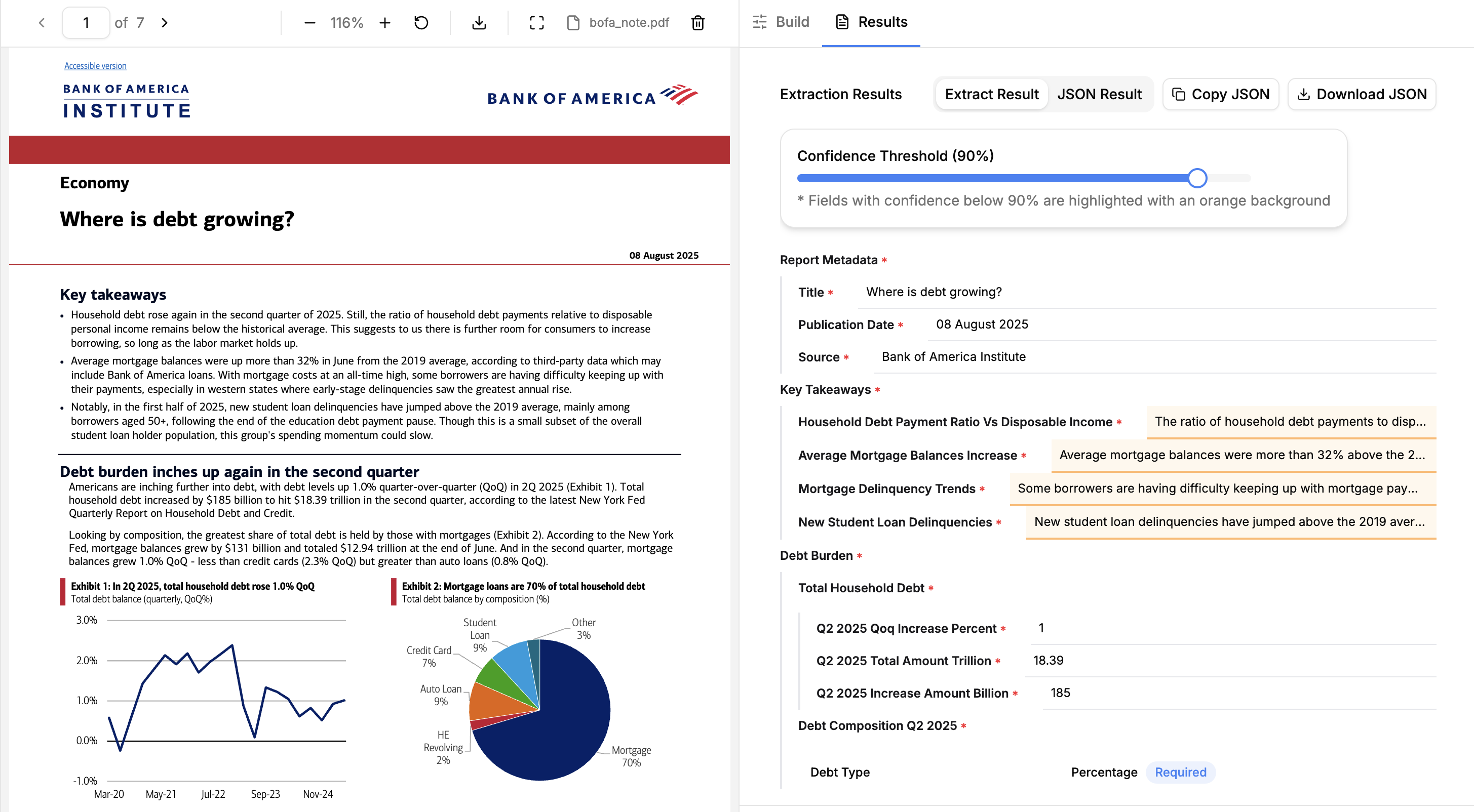
Section titled “Using the web UI”The simplest way to try out LlamaExtract is to use the web UI.
Just define your Extraction Configuration (schema and settings), drag and drop any supported document into LlamaParse and extract data from your documents.
Get an API key
Section titled “Get an API key”Once you’re ready to start coding, get an API key to use LlamaExtract with the Python SDK.
Use our libraries
Section titled “Use our libraries”We have a library available for Python and Typescript. This is the recommended way to use LlamaExtract for running extraction jobs at scale. Check out the SDK quick start to get started.
REST API
Section titled “REST API”If you are using a language other than Python, you can use the REST API.
Tiers and versions
Section titled “Tiers and versions”LlamaExtract offers three primary tiers:
- Agentic Plus provides the highest extraction quality across document types. Use it when you want the best result and can accept higher cost and latency. It may take longer on long or complex documents as it puts more iterative effort into the result. It’s also the only tier that supports very large schemas (up to 3,200 fields), though schemas above 200 fields carry a per-page credit multiplier.
- Agentic balances quality, cost, and latency across a broad range of documents, including mixed layouts and tables.
- Cost Effective prioritizes lower cost and latency for straightforward extraction, especially at high volume.
See Configuration Options for feature compatibility and pricing for combined extract and parse costs.
LlamaExtract now runs on the v2 APIs by default. If you need to use the legacy Extract v1 experience, see Using Extract v1 below.
When you create v2 extract jobs or saved extract configurations, configuration.version controls the extract algorithm version. See Configuration Options for latest, date pins, and option compatibility.
When using the SDK or REST API directly, V2 decouples parse and extract tiers. Here is how V2 configurations map to V1 equivalents:
V2 extract tier | V2 parse tier | V1 equivalent (extraction_mode) |
|---|---|---|
cost_effective | fast | FAST |
agentic | agentic | MULTIMODAL |
agentic | agentic_plus | PREMIUM |
Using Extract v1
Section titled “Using Extract v1”LlamaExtract v2 is the default and recommended experience. If you need to use the legacy Extract v1:
- Web UI: Open the main LlamaCloud UI, go to Settings → General, and enable the Extract v1 toggle for your workspace.
- Python SDK: Use the
llama-cloud-servicespackage (shown as the “Python (legacy)” tab in our SDK examples). See the SDK page for details. - REST API: The v1 endpoints are documented on the REST API (v1 Legacy) page.
- Migration help: Use the Extract v1 → v2 migration guide for API/SDK/UI mapping.
Extract v1 is legacy and may be deprecated in the future. We recommend migrating to v2 for new projects.