

Postgres
Configure your own Postgres instance as data sink.
Configure via UI
Section titled “Configure via UI”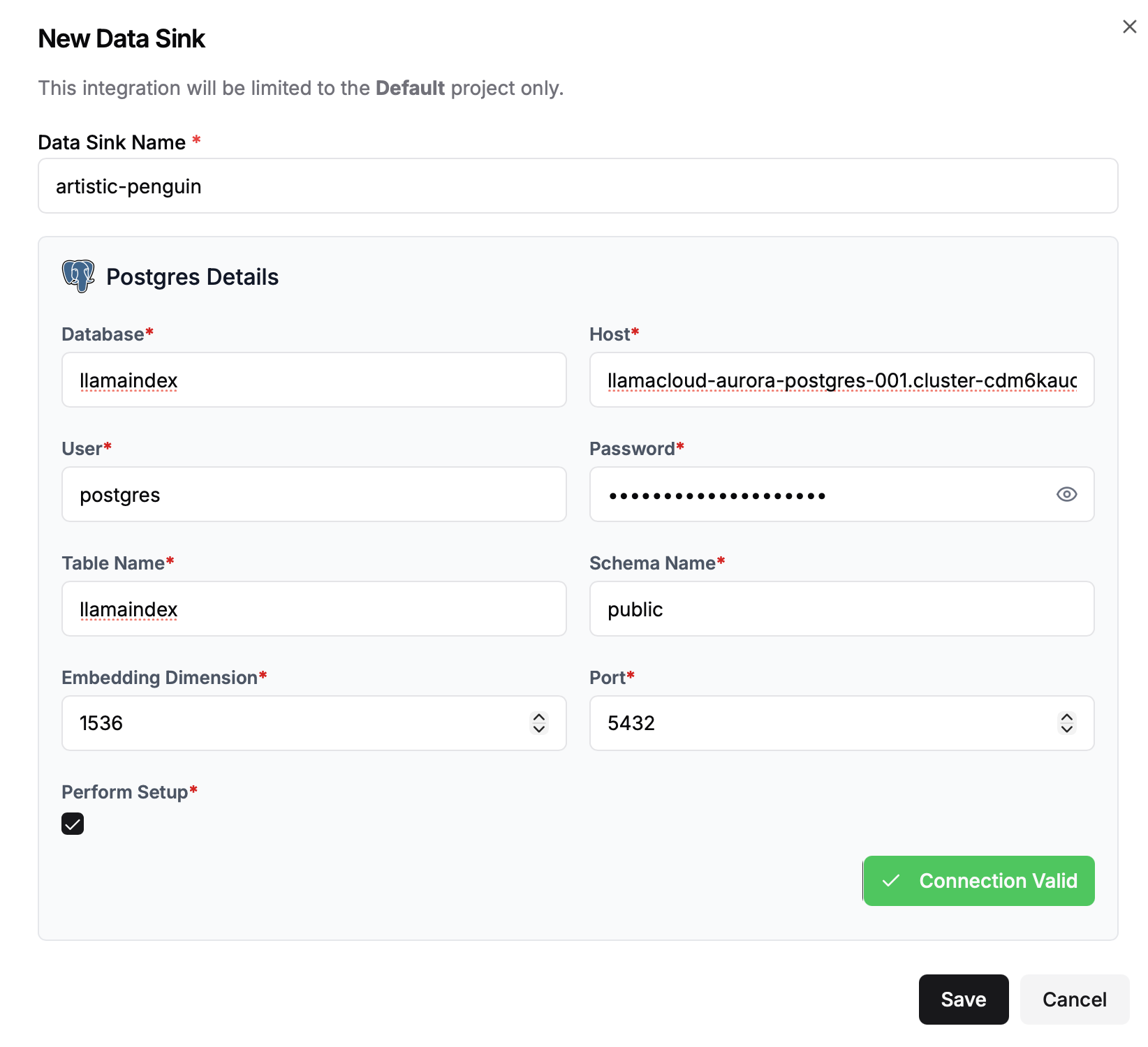
Configure Parameters
Section titled “Configure Parameters”To configure Postgres as a vector store for your LlamaCloud documents you will need the following:
| Parameter | Description | Example |
|---|---|---|
| Database | Database name | llamaindex |
| Host | Connection endpoint | my-postgres-cluster.us-east-1.rds.amazonaws.com |
| User | Database username | postgres |
| Password | Password for database user | ***** |
| Table Name | Table where embeddings will be stored | llamaindex |
| Schema Name | Schema in which the database table will exist | public |
| Embedding Dimension | Dimension size of embeddings | 1536 |
| Port | Port where Postgres listens | 5432 |
Configure via API / Client
Section titled “Configure via API / Client”from llama_cloud.types import CloudPostgresVectorStore
ds = { 'name': '<your-data-sink-name>', 'sink_type': 'POSTGRES', 'component': CloudPostgresVectorStore( database='<database-name>', host='<database-host>', user='<user>', password='<password>', port=5432, embed_dim=1536, schema_name='<schema>', table_name='<table>' )}
data_sink = client.data_sinks.create_data_sink(request=ds)const ds = { 'name': '<your-data-sink-name>', 'sinkType': 'POSTGRES', 'component': { 'database': '<database-name>', 'host': '<database-host>', 'user': '<user>', 'password': '<password>', 'port': 5432, 'embed_dim': 1536, 'schema_name': '<schema>', 'table_name': '<table>' }}
data_sink = await client.dataSinks.createDataSink({projectId: projectId,body: ds})