

File Upload Data Source
Guide to uploading files directly to LlamaCloud as a data source, including UI, API, and client instructions.
Directly upload files
Configure via UI
Section titled “Configure via UI”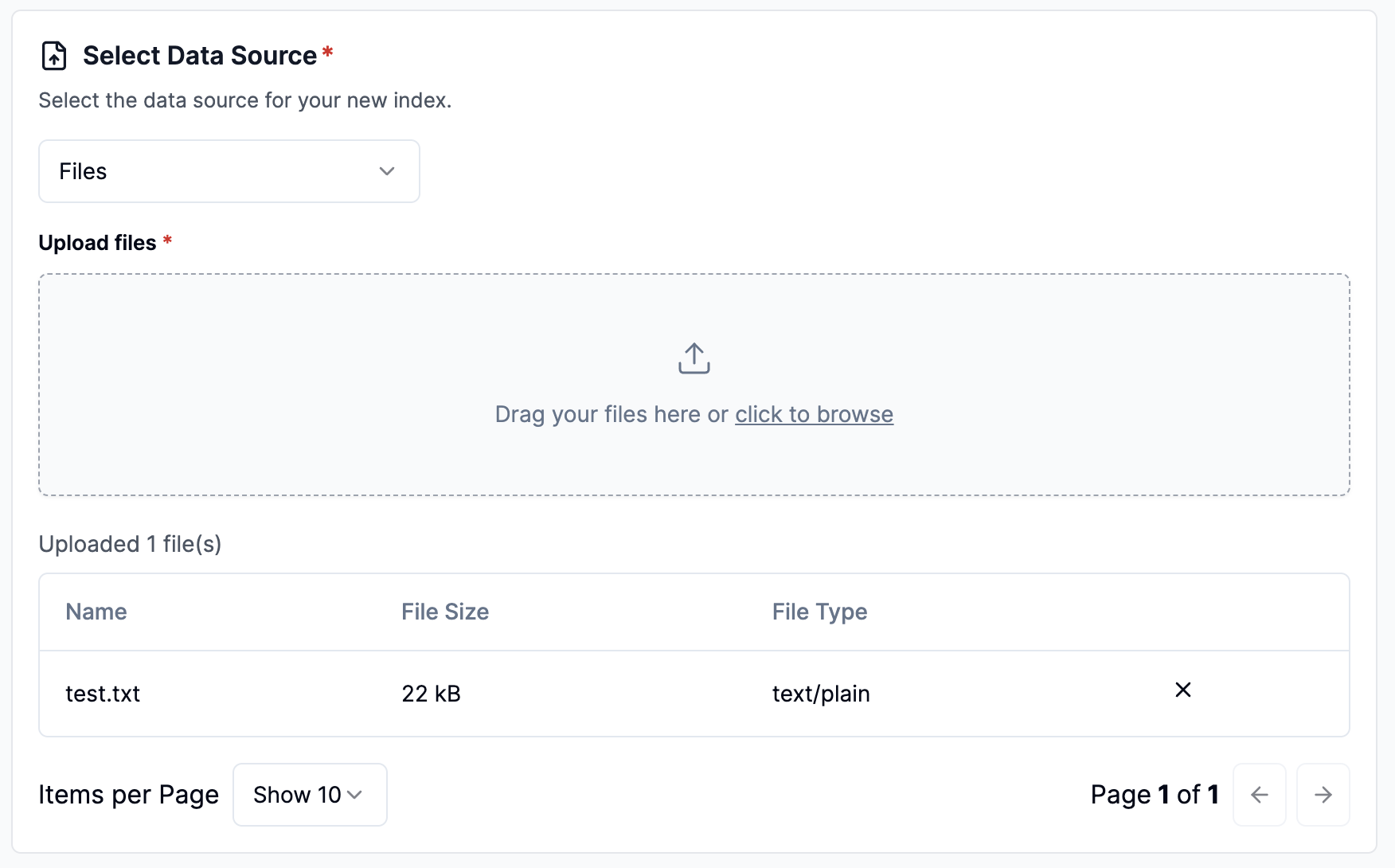
Configure via API / Client
Section titled “Configure via API / Client”from llama_cloud import LlamaCloud
client = LlamaCloud(api_key="LLAMA_CLOUD_API_KEY")
file_obj = client.files.create(file="path/to/your/file.txt", purpose="general")const client = new LlamaCloud({ apiKey: "LLAMA_CLOUD_API_KEY",});
const fileObj = await client.files.create({ file: fs.createReadStream('path/to/your/file.txt'), purpose: 'general',});```# Step 2: Use the presigned URL to upload the file to S3 within 30 secondscurl -X PUT "https://your-presigned-url-from-step-1" \ -H "Content-Type: text/plain" \ -F 'file=@path/to/your/example.txt'
# Step 3: Confirm the file upload with LlamaCloudcurl -X PUT "https://api.cloud.llamaindex.ai/api/v1/files/sync" \ -H "Content-Type: application/json" \ -H "Authorization: Bearer $LLAMA_CLOUD_API_KEY"```